> ## Documentation Index
> Fetch the complete documentation index at: https://docs.cloud.coinbase.com/llms.txt
> Use this file to discover all available pages before exploring further.
# Staking APT with Petra Wallet
## Step 1. Create and Fund
This section explains how to setup and fund a Petra Aptos Wallet. Click images to enlarge.
1. Download the [Petra Aptos Wallet Chrome extension](https://petra.app/).
2. Click Create New Wallet.
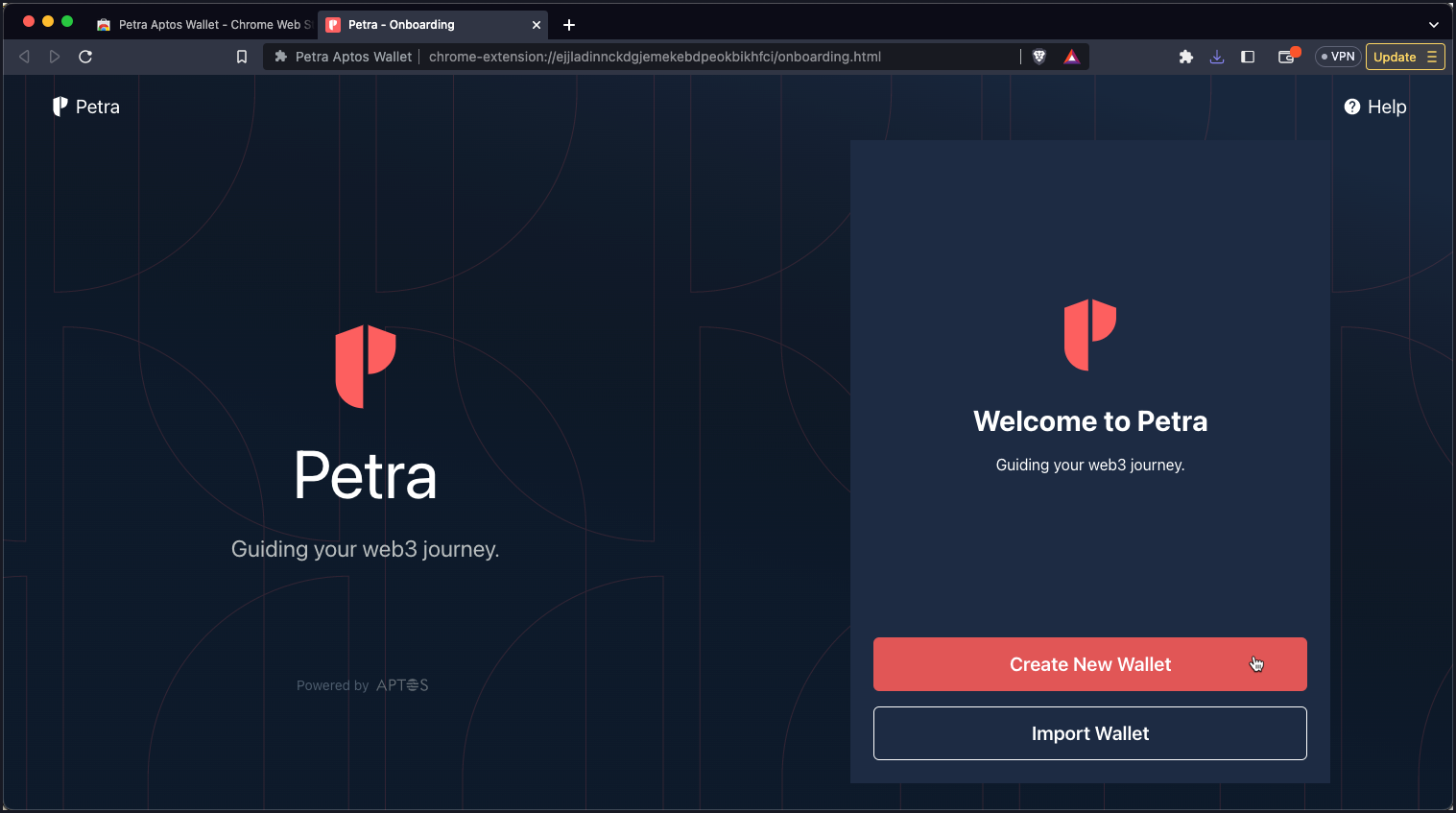 3. Create a password and securely store your recovery phrase.
4. Pin the Petra Aptos Wallet extension to your taskbar.
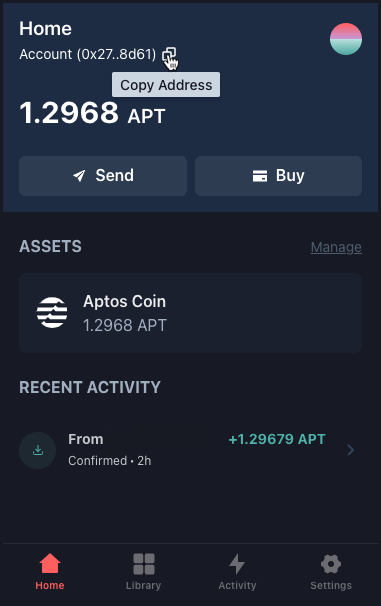
5. Open Petra (by clicking the Petra icon) and fund the newly created wallet/address with APT.
You can buy from within the wallet, or copy the address and send from an exchange like [Coinbase.com](https://coinbase.com).
3. Create a password and securely store your recovery phrase.
4. Pin the Petra Aptos Wallet extension to your taskbar.
5. Open Petra (by clicking the Petra icon) and fund the newly created wallet/address with APT.
You can buy from within the wallet, or copy the address and send from an exchange like [Coinbase.com](https://coinbase.com).
 See [Connecting Ledger Live to Your Petra Wallet](https://petra.app/docs/ledger).
## Step 2. Connect and Stake
This section explains how to stake to a Coinbase validator. It assumes that you have created and funded a Petra Aptos Wallet.
1. Go to the [Coinbase Validator](https://coinbase.com/cloud/staking/aptos), directly or search for it on the [Aptos Explorer](https://explorer.aptoslabs.com/).
2. Click Connect Wallet, select Petra, and Approve the connection request.
See [Connecting Ledger Live to Your Petra Wallet](https://petra.app/docs/ledger).
## Step 2. Connect and Stake
This section explains how to stake to a Coinbase validator. It assumes that you have created and funded a Petra Aptos Wallet.
1. Go to the [Coinbase Validator](https://coinbase.com/cloud/staking/aptos), directly or search for it on the [Aptos Explorer](https://explorer.aptoslabs.com/).
2. Click Connect Wallet, select Petra, and Approve the connection request.
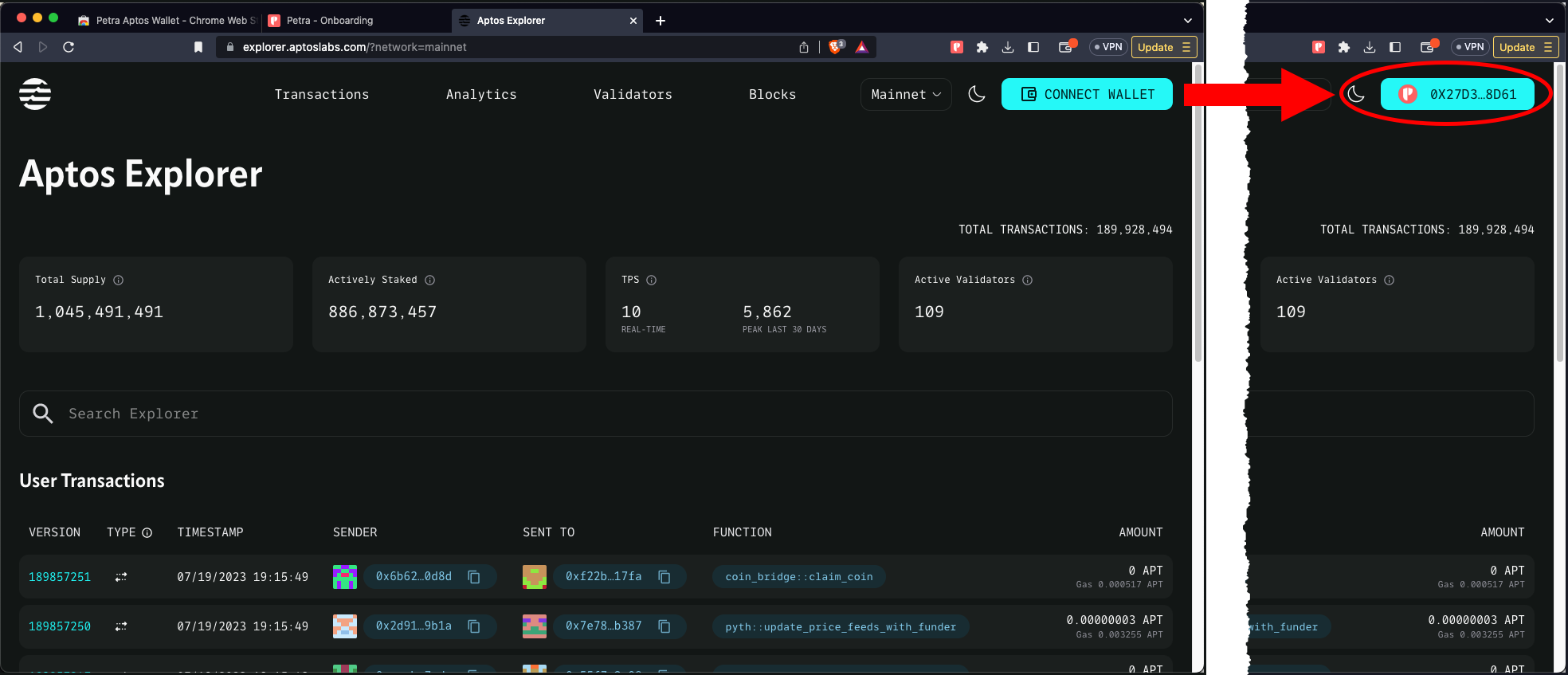 3. Search for and select the Coinbase node.
4. Click Stake to stake APT on this validator.
**Congratulations! You are now staked to a Coinbase validator.**\
Visit [Coinbase](https://coinbase.com) to learn more about our services.
3. Search for and select the Coinbase node.
4. Click Stake to stake APT on this validator.
**Congratulations! You are now staked to a Coinbase validator.**\
Visit [Coinbase](https://coinbase.com) to learn more about our services.