> ## Documentation Index
> Fetch the complete documentation index at: https://docs.cloud.coinbase.com/llms.txt
> Use this file to discover all available pages before exploring further.
# Delegating Restaked ETH with EigenLayer
## Step 1. Restaking on EigenLayer
**Prerequisites**
You have a web3 wallet (e.g. Coinbase Wallet) and have previously [Native restaked Ether](https://docs.eigenlayer.xyz/eigenlayer/restaking-guides/restaking-user-guide/native-restaking/) (ETH) or have Liquid Staking Tokens (LST) that are restaked. Deposits for LSTs to be restaked are [currently paused](https://app.eigenlayer.xyz/status) as of date of posting (Apr 9, 2024).
1. Navigate to the EigenLayer App and click on the **Restake** tab.
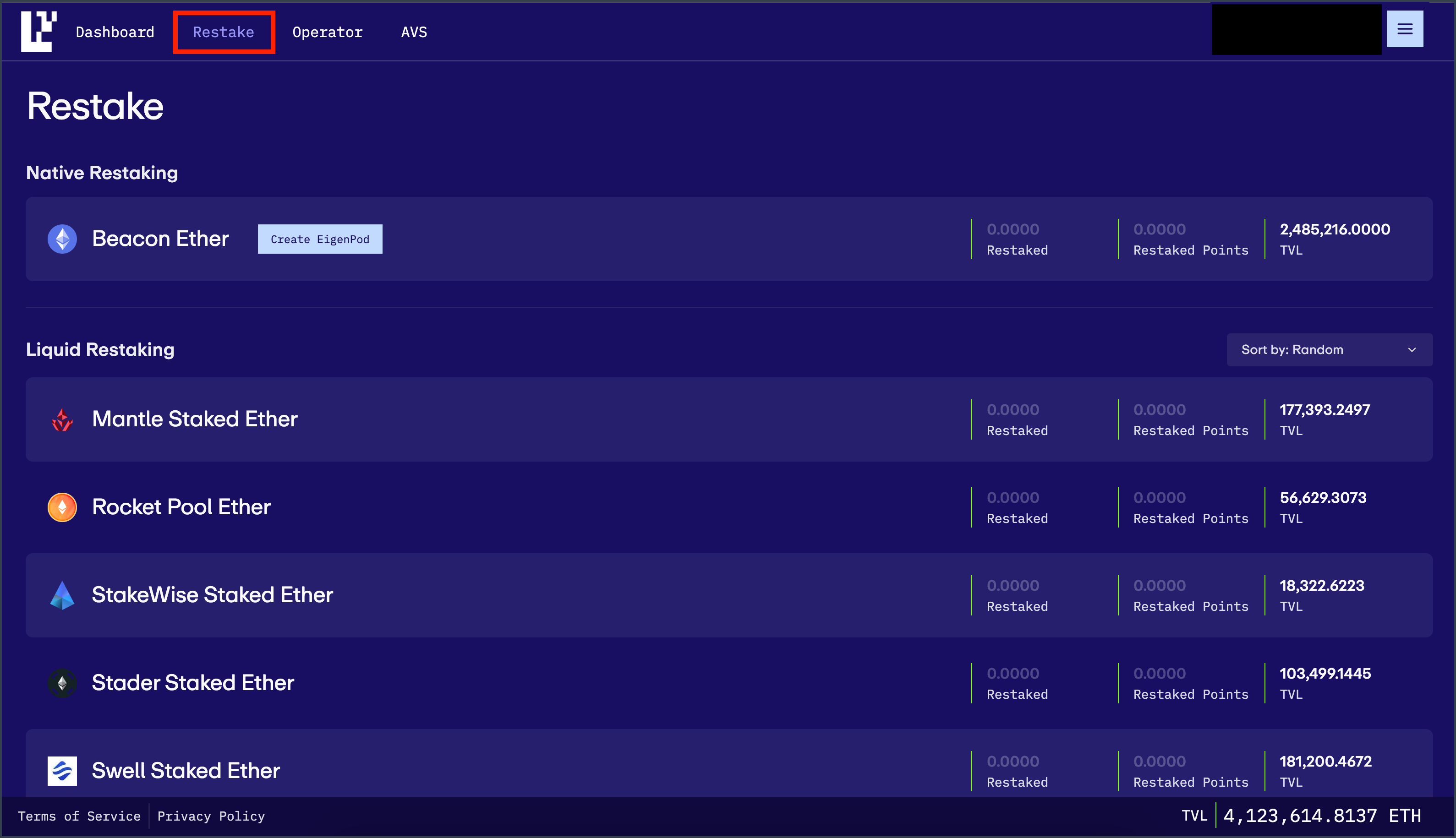 2. Click on your relevant asset (i.e. ETH)
3. Select the **Amount** and click **deposit**. If all looks correct, confirm the transaction through your wallet
2. Click on your relevant asset (i.e. ETH)
3. Select the **Amount** and click **deposit**. If all looks correct, confirm the transaction through your wallet
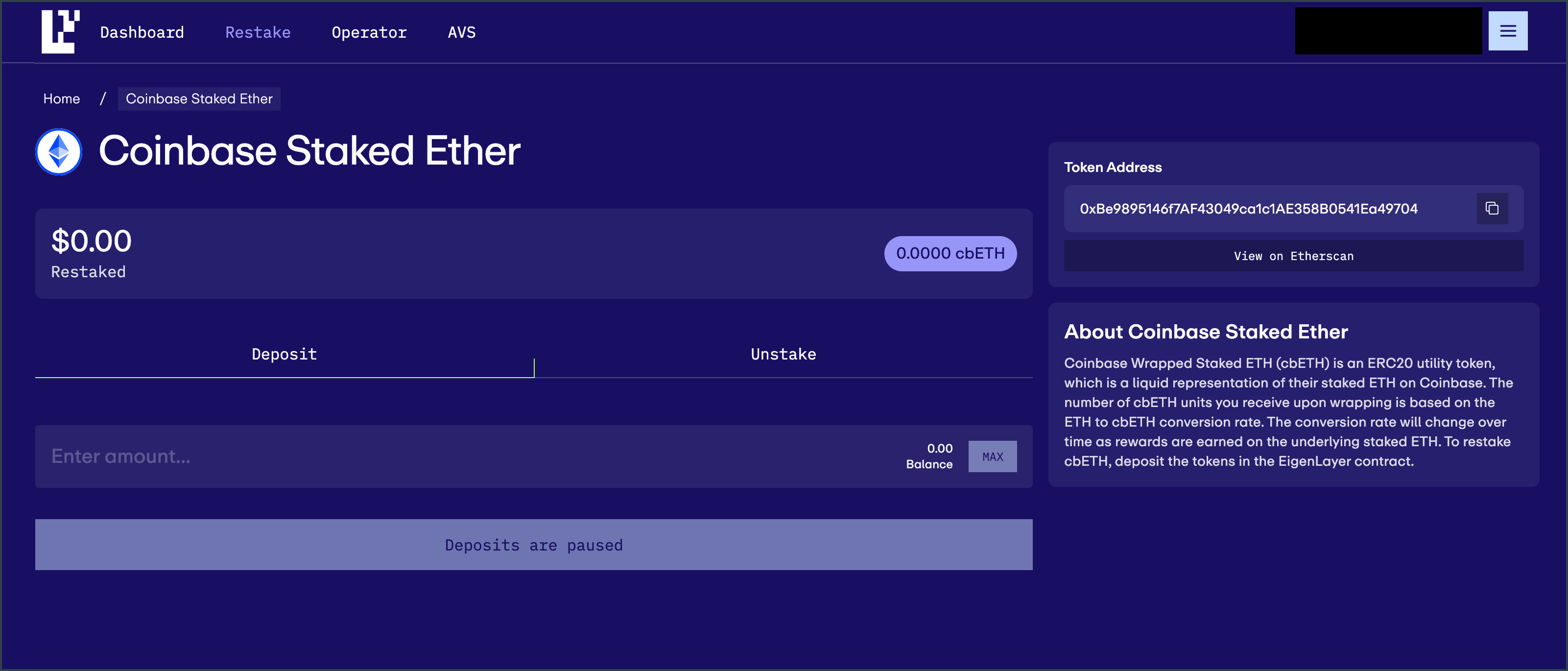 4. When navigating back to the **Restake** tab you should now see the total amount that was restaked. Over time, you will see EigenLayer Points earned from this restaking activity
## Step 2. Delegate to the Coinbase Operator
1. Navigate to the [EigenLayer Operator Tab](https://app.eigenlayer.xyz/operator)
4. When navigating back to the **Restake** tab you should now see the total amount that was restaked. Over time, you will see EigenLayer Points earned from this restaking activity
## Step 2. Delegate to the Coinbase Operator
1. Navigate to the [EigenLayer Operator Tab](https://app.eigenlayer.xyz/operator)
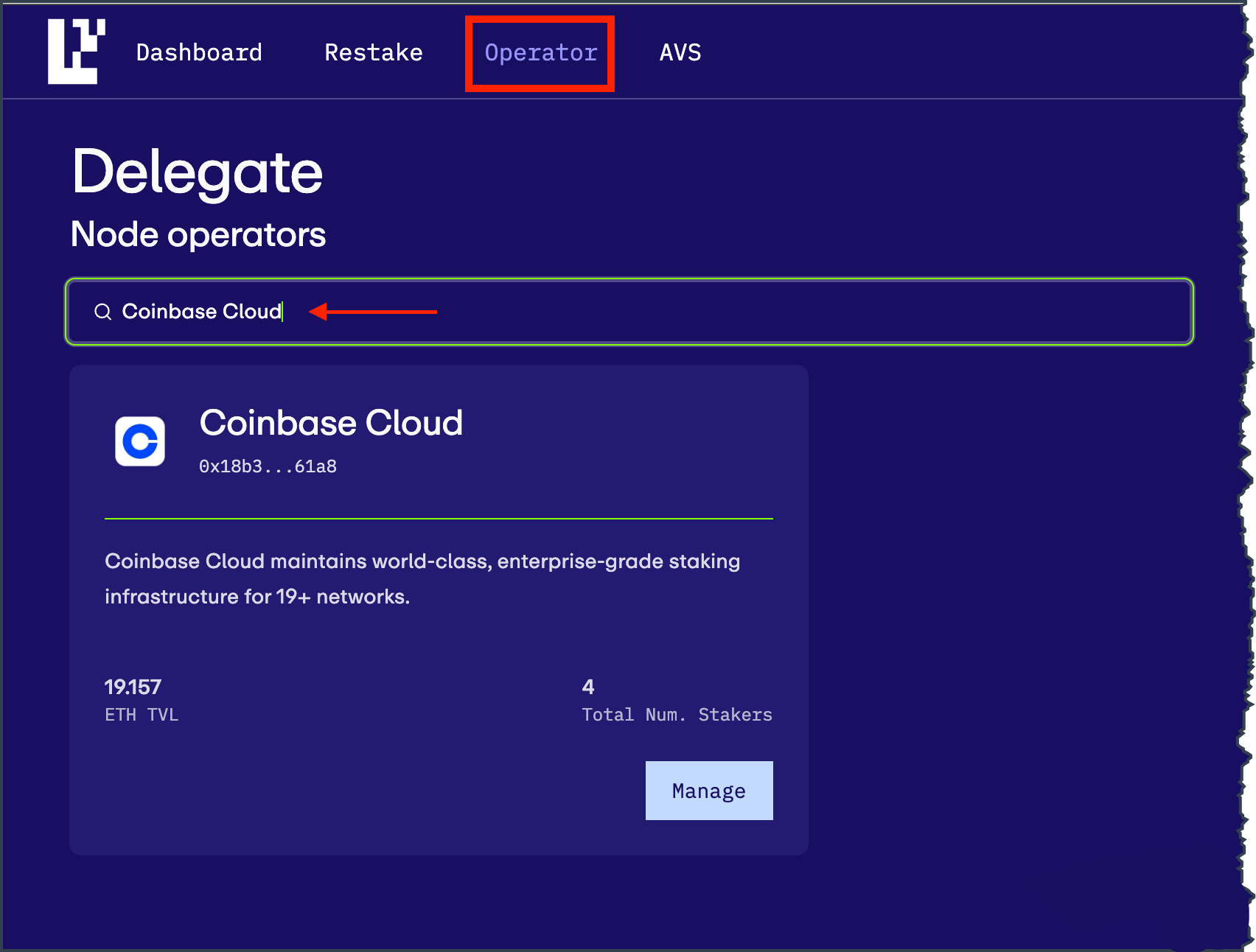 2. Search for the Coinbase Operator by searching the name, then click on its Node Operator tile
3. Click on **Delegate** to initiate the transaction
2. Search for the Coinbase Operator by searching the name, then click on its Node Operator tile
3. Click on **Delegate** to initiate the transaction
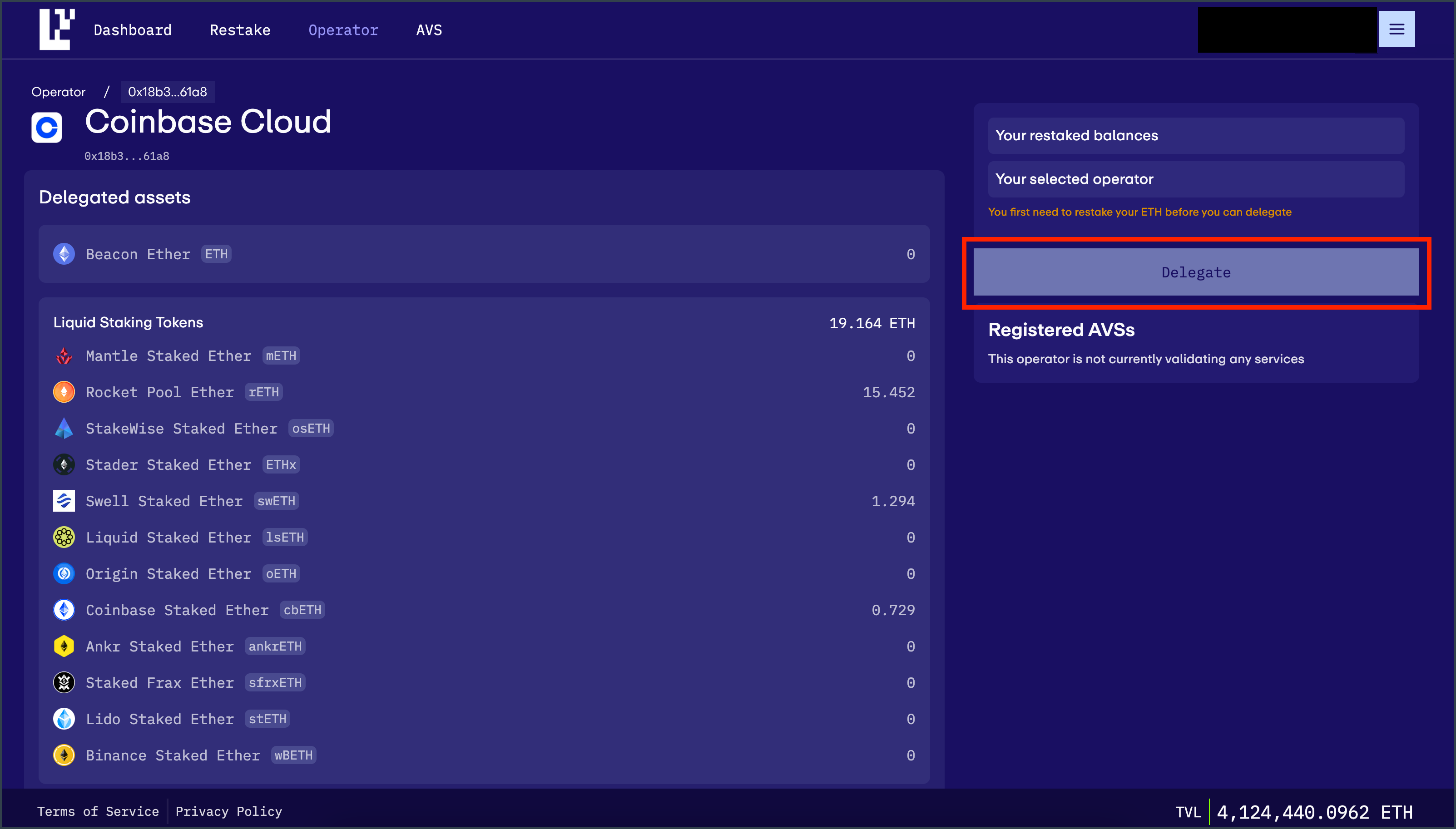 4. Confirm the transaction on your wallet
**Congratulations!**
You are now delegating to the Coinbase EigenLayer Operator. Visit [Coinbase](https://www.coinbase.com/cloud) to learn more about our services.
4. Confirm the transaction on your wallet
**Congratulations!**
You are now delegating to the Coinbase EigenLayer Operator. Visit [Coinbase](https://www.coinbase.com/cloud) to learn more about our services.