

Prerequisites
- A free CDP Portal account and project
- Node.js 22+
- A node package manager installed (i.e.,
npm,pnpm, oryarn) - Basic familiarity with React and TypeScript
- Configured your domain in CDP Portal (see below)
How to configure your domain in CDP Portal
How to configure your domain in CDP Portal
Step 1: Access CDP PortalNavigate to the Security Configuration in CDP Portal, and click Add domain to include your local app.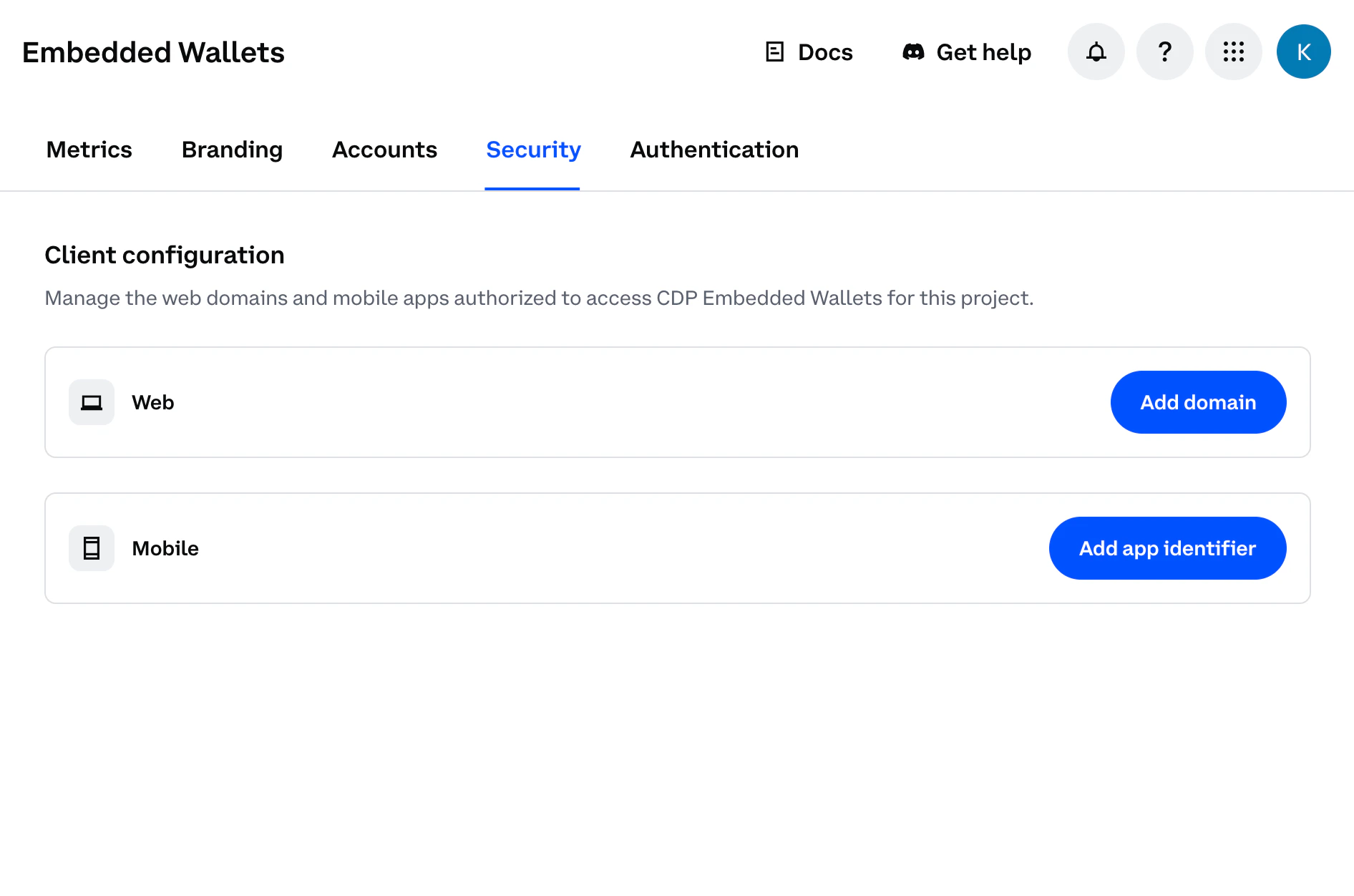
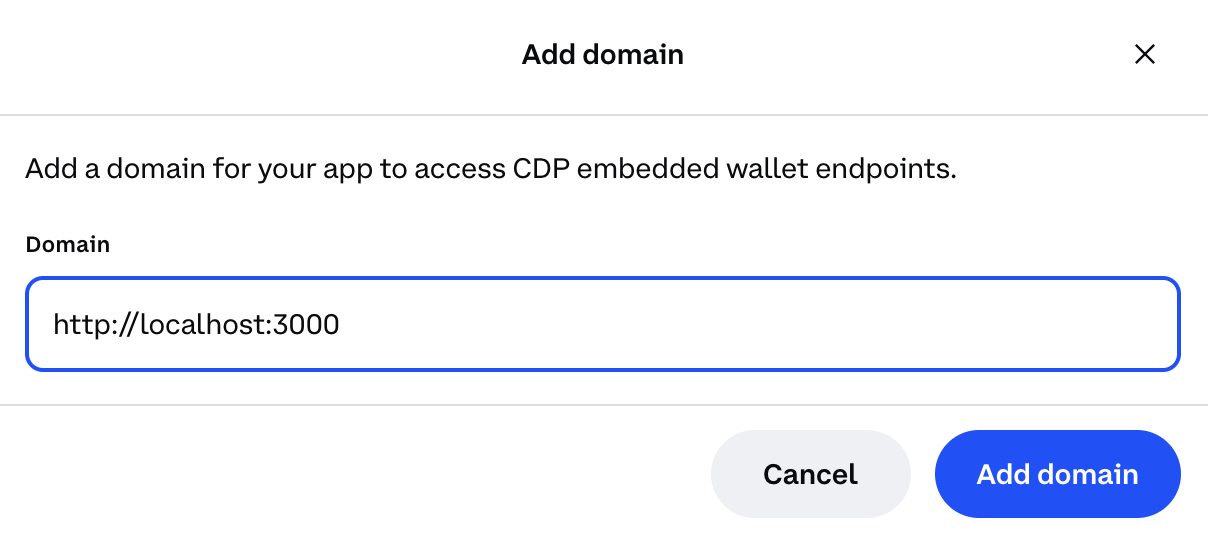
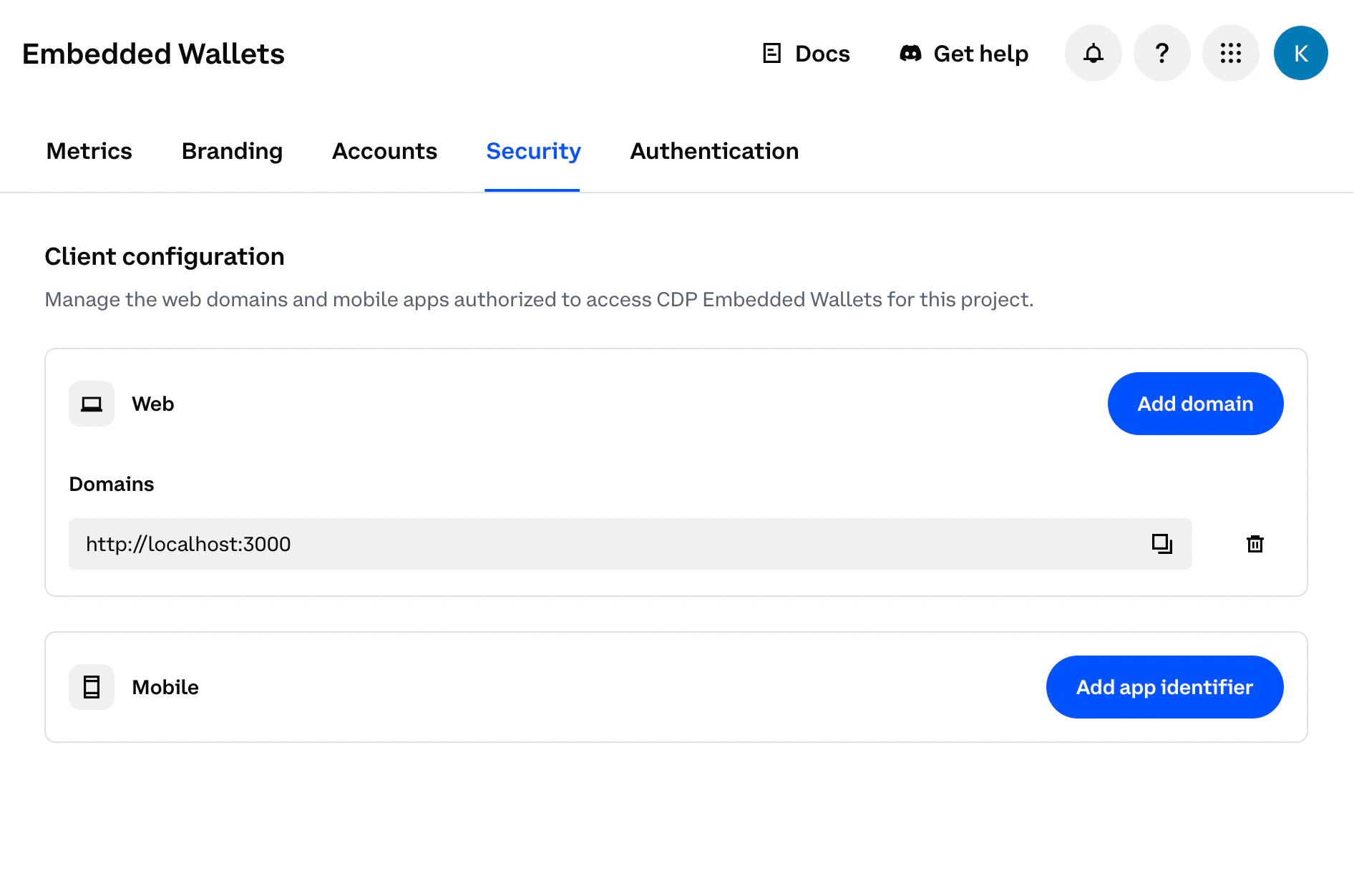
- For local development: Use
http://localhost:3000(or your preferred port) - For production: Use your actual domain (e.g.,
https://yourapp.com)
- A Gelato account with an app and API key generated from
Paymaster & Bundler>API Keys
Create Bundler Client
Set up your component to use Coinbase CDP hooks and create a bundler client with Gelato integration:
src/App.tsx