Documentation Index

Fetch the complete documentation index at: https://docs.cloud.coinbase.com/llms.txt

Use this file to discover all available pages before exploring further.

Overview

This guide shows how to add user wallets to your existing React app with just a few lines of code. Users sign in with email, SMS, or social login and get a self-custodial wallet instantly, with no seed phrases required.
Check out the CDP Web SDK reference for comprehensive method signatures, types, and examples.
Already have user authentication? If you’re using Auth0, Firebase, AWS Cognito, or another identity provider, check out Custom Authentication to integrate with your existing auth system.
Choose your path:

Integrate into your app

Continue reading to add user wallets to your current React app with a few lines of code.

Check out our template app

Build a complete demo app from scratch to learn all the features.

Prerequisites

  • A free CDP Portal account and project
  • Node.js 22+
  • A node package manager installed (i.e., npm, pnpm, or yarn)
  • Basic familiarity with React and TypeScript
  • Configured your domain in CDP Portal (see below)
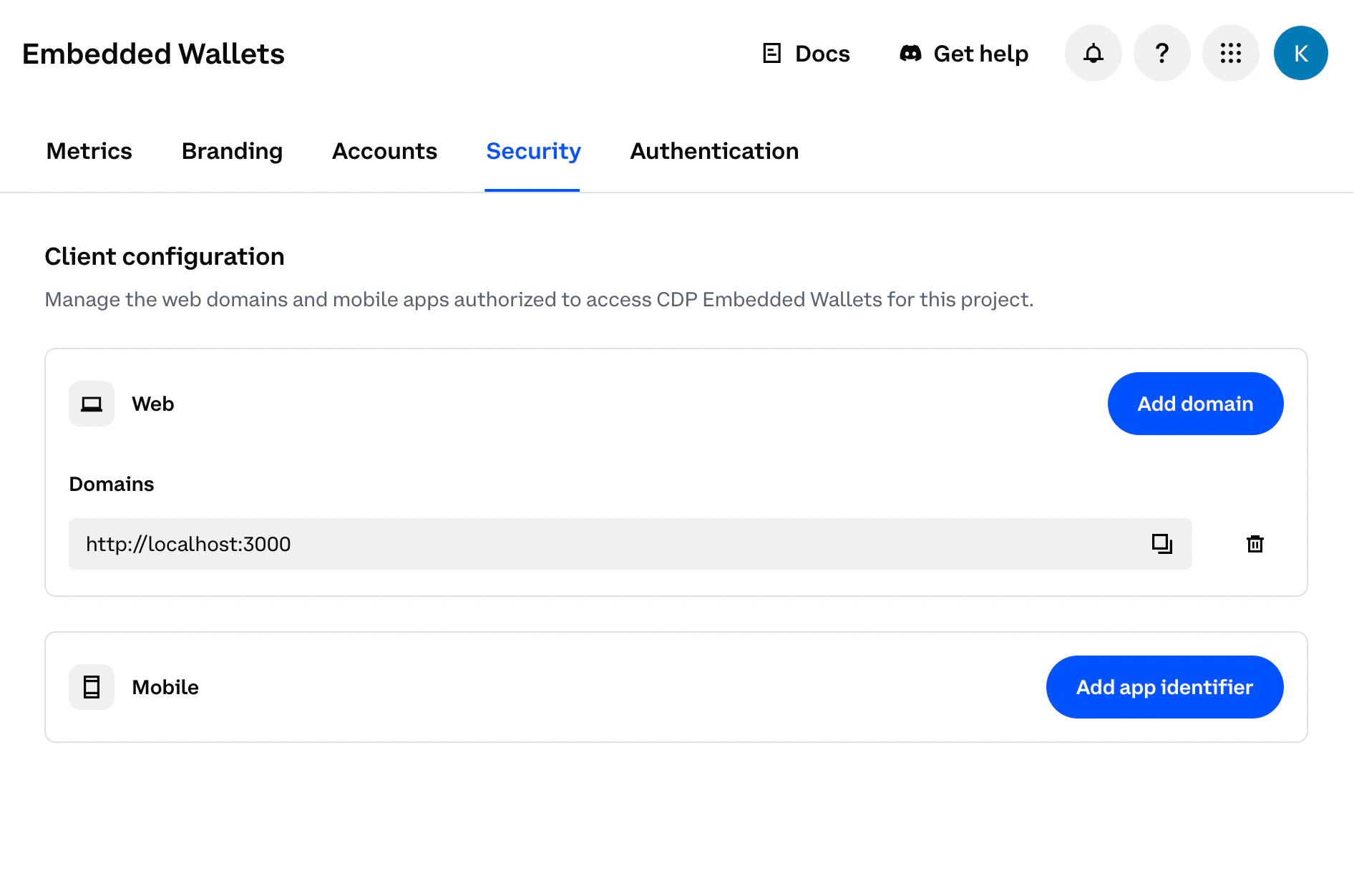
Step 1: Access CDP PortalNavigate to the Security Configuration in CDP Portal, and click Add domain to include your local app.
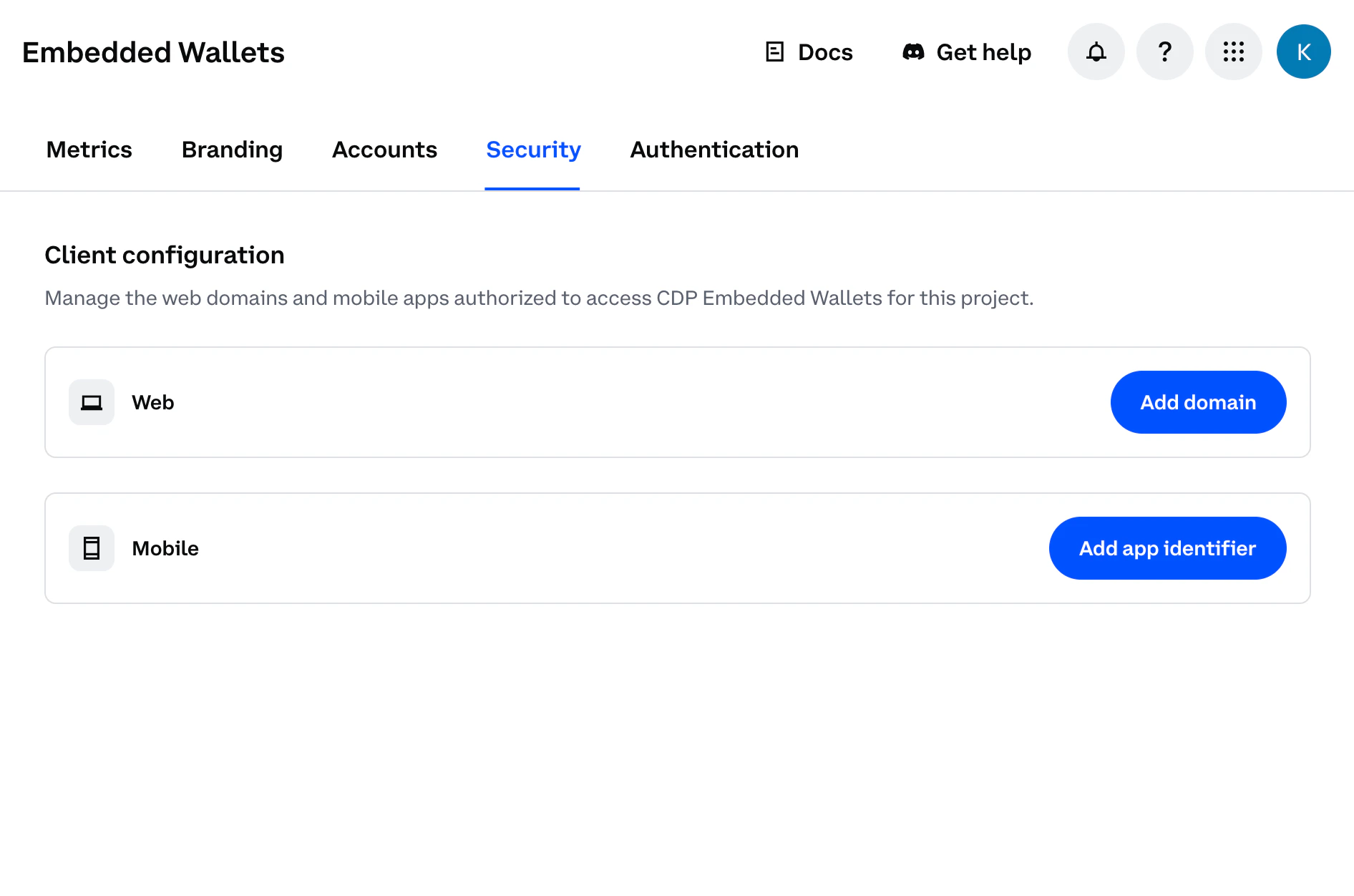
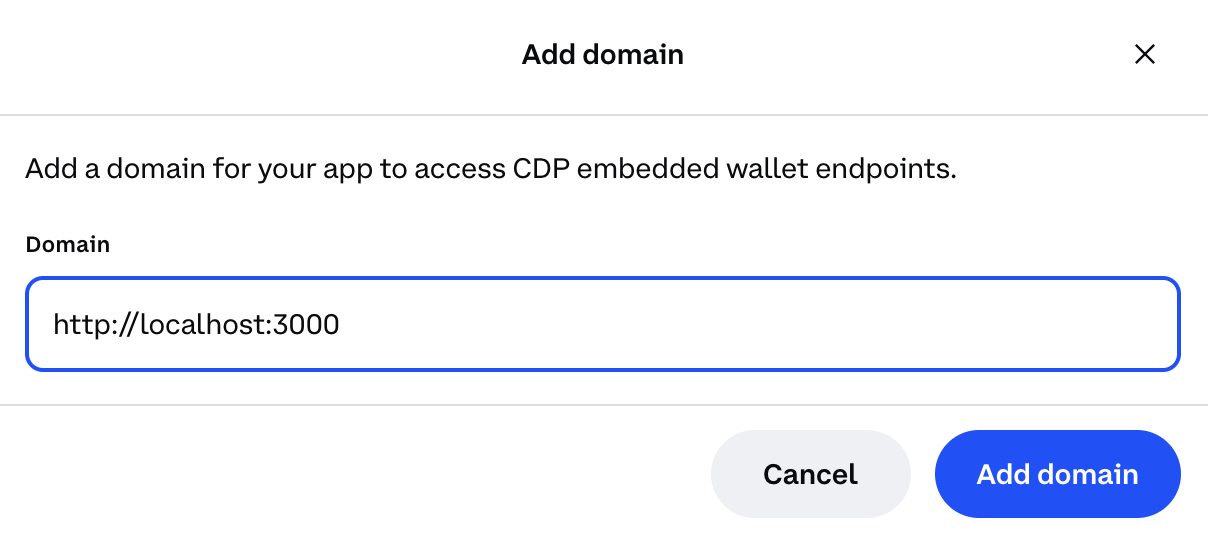
Add domain dialog in CDP Portal
Step 2: Add your domain
  • For local development: Use http://localhost:3000 (or your preferred port)
  • For production: Use your actual domain (e.g., https://yourapp.com)
Domain configuration with localhost
For production apps, only add your actual production domain. Do not add localhost to production CDP projects as malicious apps running locally could impersonate your frontend and abuse your project credentials.
Step 3: Save your changesClick Add domain again to save your changes.
Domain configuration saved in CDP Portal
You should see your domain listed in the CDP Portal dashboard. The allowlist will take effect immediately upon saving.

1. Install packages

Once you’ve completed the prerequisites above, install the required packages:
npm install @coinbase/cdp-react @coinbase/cdp-core @coinbase/cdp-hooks

2. Wrap your app with the provider

Add the CDP provider to your root component (typically App.tsx or main.tsx). Replace "your-project-id" with your actual project ID from CDP Portal.
import { CDPReactProvider } from "@coinbase/cdp-react";

function App() {
  return (
    <CDPReactProvider
      config={{
        projectId: "your-project-id",
        ethereum: { // if you want to create an EVM account on login
          createOnLogin: "eoa" // or "smart" for smart accounts
        },
        solana: { // if you want to create a Solana account on login
          createOnLogin: true
        },
        appName: "Your App Name"
      }}
    >
      <YourExistingApp />
    </CDPReactProvider>
  );
}

3. Add authentication

The simplest approach is the AuthButton component, which handles the entire authentication flow:
import { AuthButton } from "@coinbase/cdp-react/components/AuthButton";
import { useIsSignedIn } from "@coinbase/cdp-hooks";

function AuthComponent() {
  const { isSignedIn } = useIsSignedIn();

  return (
    <div>
      {isSignedIn ? (
        <div>Welcome! You're signed in.</div>
      ) : (
        <div>
          <h2>Please sign in</h2>
          <AuthButton />
        </div>
      )}
    </div>
  );
}

Option B: Build custom auth UI

For custom UIs, use the authentication hooks directly:
function CustomAuthComponent() {
  const { signInWithEmail } = useSignInWithEmail();
  const { verifyEmailOTP } = useVerifyEmailOTP();
  const { isSignedIn } = useIsSignedIn();
  const [flowId, setFlowId] = useState<string | null>(null);
  const [email, setEmail] = useState('');
  const [otp, setOtp] = useState('');

  const handleEmailSubmit = async () => {
    if (!email) return;
    const result = await signInWithEmail({ email });
    setFlowId(result.flowId);
  };

  const handleOtpSubmit = async () => {
    if (!flowId || !otp) return;
    const { user } = await verifyEmailOTP({ flowId, otp });
    console.log("Signed in!", user.evmAccounts?.[0]);
  };

  if (isSignedIn) return <div>Welcome! You're signed in.</div>;

  return (
    <div>
      {flowId ? (
        <div>
          <input type="text" value={otp} onChange={(e) => setOtp(e.target.value)} placeholder="Enter OTP code" />
          <button onClick={handleOtpSubmit}>Verify OTP</button>
        </div>
      ) : (
        <div>
          <input type="email" value={email} onChange={(e) => setEmail(e.target.value)} placeholder="Enter your email" />
          <button onClick={handleEmailSubmit}>Send OTP</button>
        </div>
      )}
    </div>
  );
}

4. Send transactions

EVM

Once authenticated, users automatically get a wallet address. Here’s how to send EVM transactions:
import { useEvmAddress } from "@coinbase/cdp-hooks";
import { SendEvmTransactionButton } from "@coinbase/cdp-react";

function SendTransaction() {
  const { evmAddress } = useEvmAddress();

  return (
    <div>
      {evmAddress ? (
        <SendEvmTransactionButton
          account={evmAddress}
          network="base-sepolia"
          transaction={{
            to: evmAddress,
            value: 1000000000000n,
            chainId: 84532,
            type: "eip1559",
          }}
          onSuccess={(hash) => console.log("Transaction sent:", hash)}
          onError={(error) => console.error("Transaction failed:", error)}
          pendingLabel="Sending..."
        />
      ) : (
        <p>Wallet not ready yet...</p>
      )}
    </div>
  );
}

Solana

import { useSolanaAddress } from "@coinbase/cdp-hooks";
import { SendSolanaTransactionButton } from "@coinbase/cdp-react";

function SendTransaction() {
  const { solanaAddress } = useSolanaAddress();

  return (
    <div>
      {solanaAddress ? (
        <SendSolanaTransactionButton
          account={solanaAddress}
          network="solana-devnet"
          transaction="base64-solana-transaction"
          pendingLabel="Sending..."
        />
      ) : (
        <p>Wallet not ready yet...</p>
      )}
    </div>
  );
}
Need testnet funds? Get free Base Sepolia ETH from the CDP Faucet.

Demo app tutorial

Build a complete demo app to learn all features in depth

React Hooks

Explore all available hooks for advanced functionality

React Components

Use pre-built components for faster development

Authentication Methods

Email OTP, SMS, social login, and custom auth options