

Overview
The Coinbase Developer Platform (CDP) Portal requires you configure which domains are authorized to access CDP APIs. These domains are configured using Cross-Origin Resource Sharing (CORS), ensuring your users are protected while maintaining a seamless experience.More on CORS
More on CORS
CORS (Cross-Origin Resource Sharing) is a browser security mechanism that controls access between different web origins. An origin is defined by the combination of protocol (http/https), domain, and port.By default, browsers enforce the same-origin policy, blocking requests between different origins for security. CORS provides a way to safely relax this restriction:
- Without CORS: Your website at
https://myapp.comcannot access APIs athttps://api.cdp.coinbase.com - With CORS: The API server explicitly allows specific origins, enabling secure cross-origin communication
Example
Let’s walk through a practical example:- A dapp at
https://app.developer.comwants to send a POST request tohttps://api.cdp.coinbase.com/embedded-wallet-api/projects/{projectId}(e.g., to create a wallet). - When Coinbase Developer Platform (CDP) receives the request, it will look up the list of allowed domains for the given project ID.
- CDP queries its database and sees that the developer has configured
https://app.developer.comas an allowed domain for the project. - CDP responds to the API with the following header set, allowing the response to return successfully:
How to configure domains
1
Access CDP Portal
Navigate to the Domains Configuration in CDP Portal: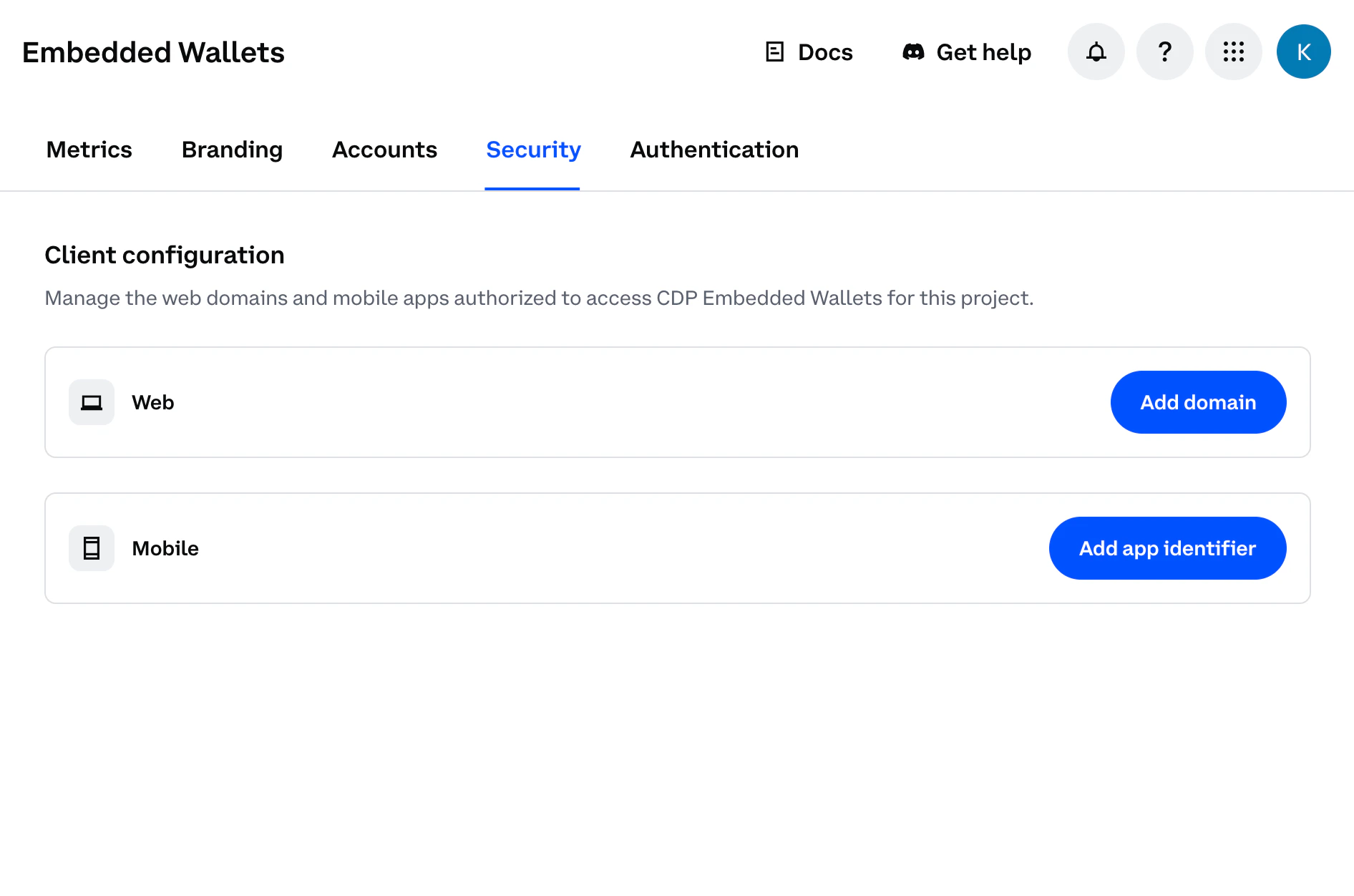
2
Add your domain
Click Add domain and enter your allowed domain and/or port (e.g., 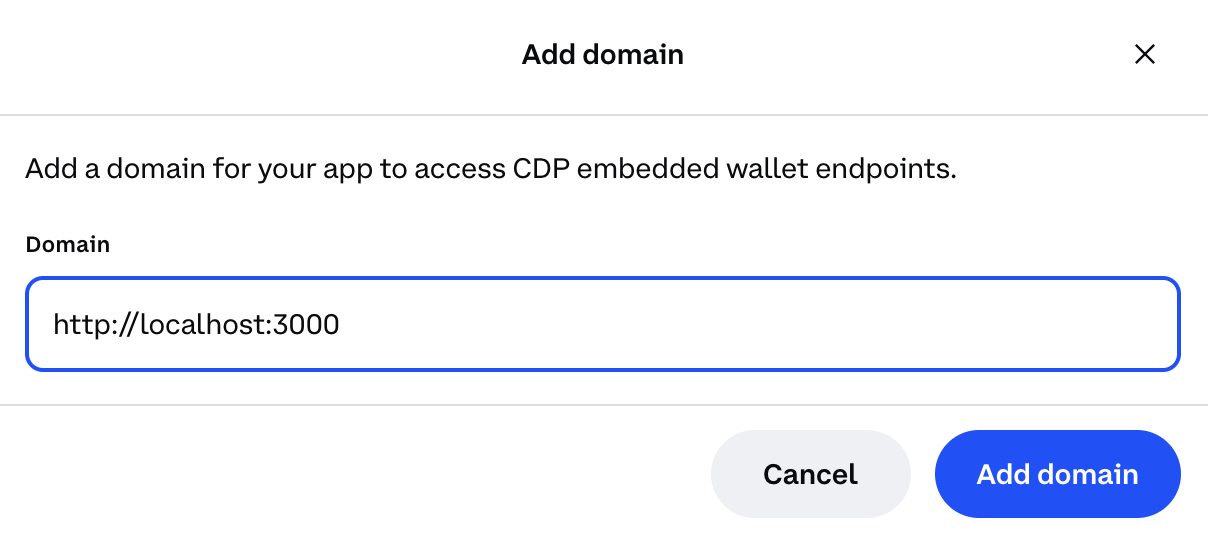
https://yourdapp.com in production or http://localhost:3000 for local development):Domain format requirements
Domain format requirements
- Domains must be of the form
<scheme>://<host>:<port>or browser extension URLs<scheme>must be eitherhttporhttps<host>must be a valid hostname:<port>is optional for ports 80 (http) and 443 (https), but required for all other ports (e.g.,http://localhost:3000)
- Browser extension URLs are also supported:
chrome-extension://<extension-id>for Chrome extensionsmoz-extension://<extension-id>for Firefox extensionssafari-web-extension://<extension-id>for Safari extensions- When using browser extension schemes, no port or path is allowed - only the unique extension ID following the scheme
- Mobile app Deep Link URLs are supported and required for React Native OAuth/social login flows:
- Format:
<scheme>://<path> <scheme>must match the scheme defined in your React Native app configuration (e.g.,app.jsonorapp.config.js)<path>can be any path you choose (e.g.,my-app://callback,mycompany://oauth,myapp://auth/redirect)
- Format:
- Maximum of 50 domains allowed per project
3
Save your changes
Click Add domain to save. Your allowed domains will appear in the dashboard, and changes will take effect immediately: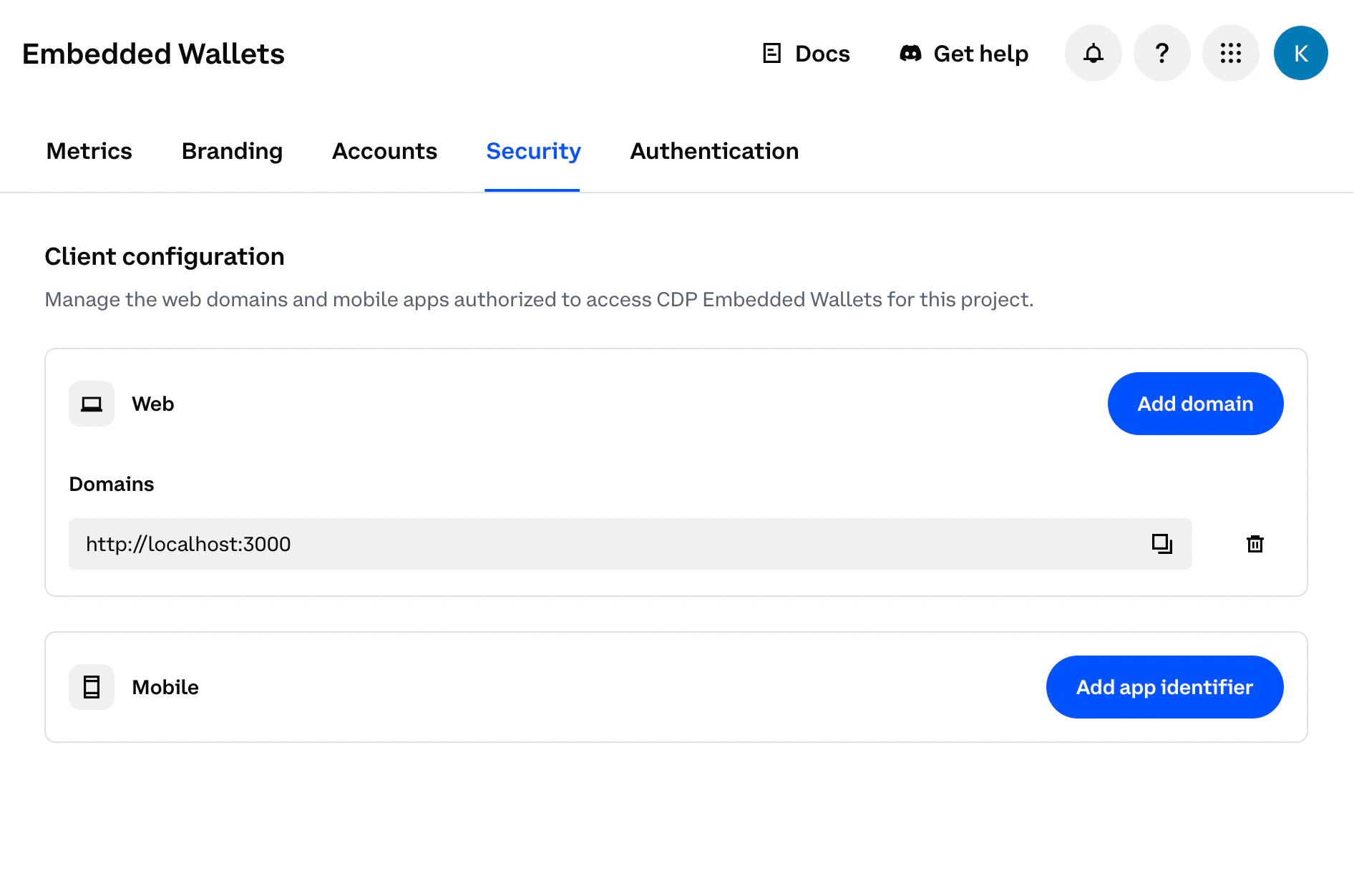
What to read next
- Quickstart Guide: Build your first user wallet app in under 10 minutes
- React Hooks Reference: Learn about available hooks like
useSignInWithEmail,useEvmAddress,useSendSolanaTransaction, and more - React Components Guide: Explore pre-built components for authentication, wallet management, and transactions